For white-label partners, a new Email section is live on Revelator Pro, providing full control over how automated emails appear and feel when delivered to your users.
Before you begin
|
What’s included
- Update your logo, brand colors, sender name, and email address directly in-app.
- Preview your templates before you send a single email.
- Access your setup instructions for domain authentication in Revelator Pro.
How to set up branded emails
After enabling custom email branding, you’ll need to:
- Upload your logo and configure your “From” name and email address.
- Set up your domain authentication (DKIM, DMARC, SPF) for deliverability.
- Rebuild any custom blocks — these won’t be auto-migrated.
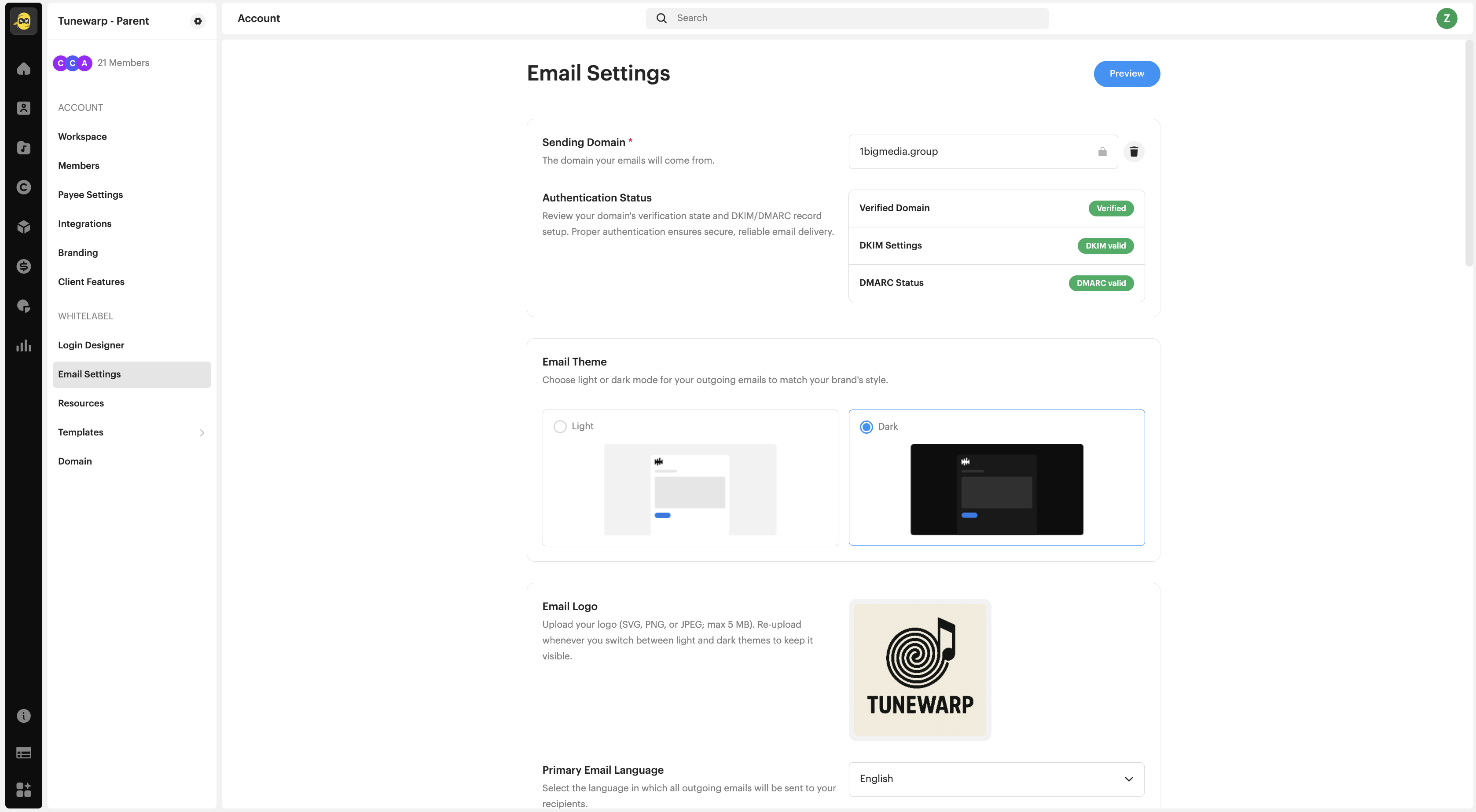
| Warning If DKIM/DMARC is not set up correctly, your branded emails will not be delivered. Make sure your domain is verified and authenticated in the Domain Settings section. |
Where to find email templates
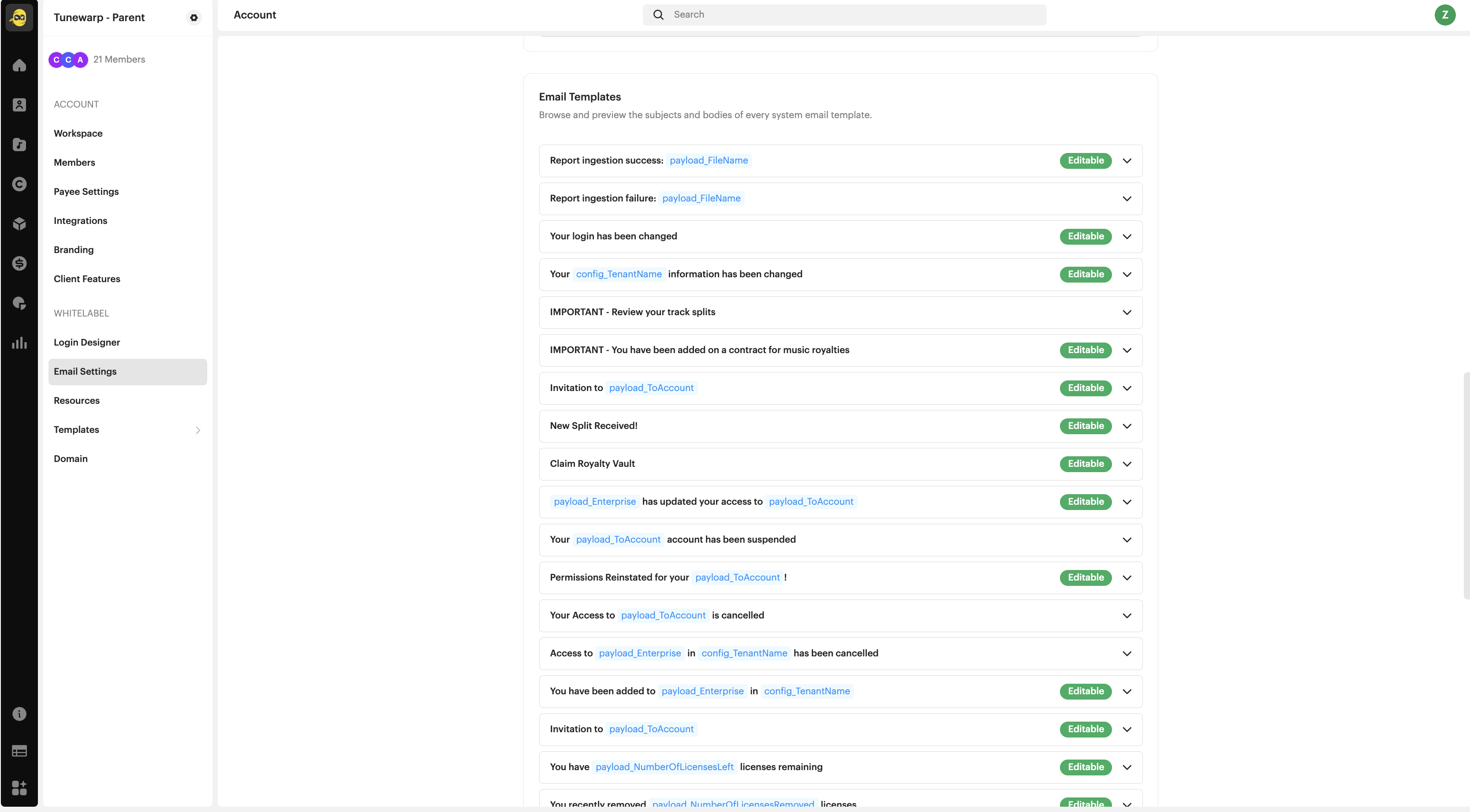
Go to Email Templates in the left-hand panel to preview, edit, and test individual messages like login alerts, contract invites, ingestion reports, and more.
Frequently asked questions
Can I customize the design of system emails?
Yes. White-label partners can now update the logo, colors, sender name, and domain from the Email Settings section.
What happens when I enable custom email branding?
Once activated, this setting can’t be reversed from the UI. You’ll need to contact Support to disable it. It’s a one-way switch.
Will my previous email customizations carry over?
No. If you had custom markup or content added by request in the past, it won’t be migrated automatically. But the new in-app editor gives you tools to recreate and manage your own custom sections going forward.
Can I preview the changes?
Yes, you can preview and test-send emails to see how they’ll appear to your users.
Related articles
Was this article helpful?
That’s Great!
Thank you for your feedback
Sorry! We couldn't be helpful
Thank you for your feedback
Feedback sent
We appreciate your effort and will try to fix the article