When creating or editing a track, go to Tracks to select an existing track or click Create new to upload a new one.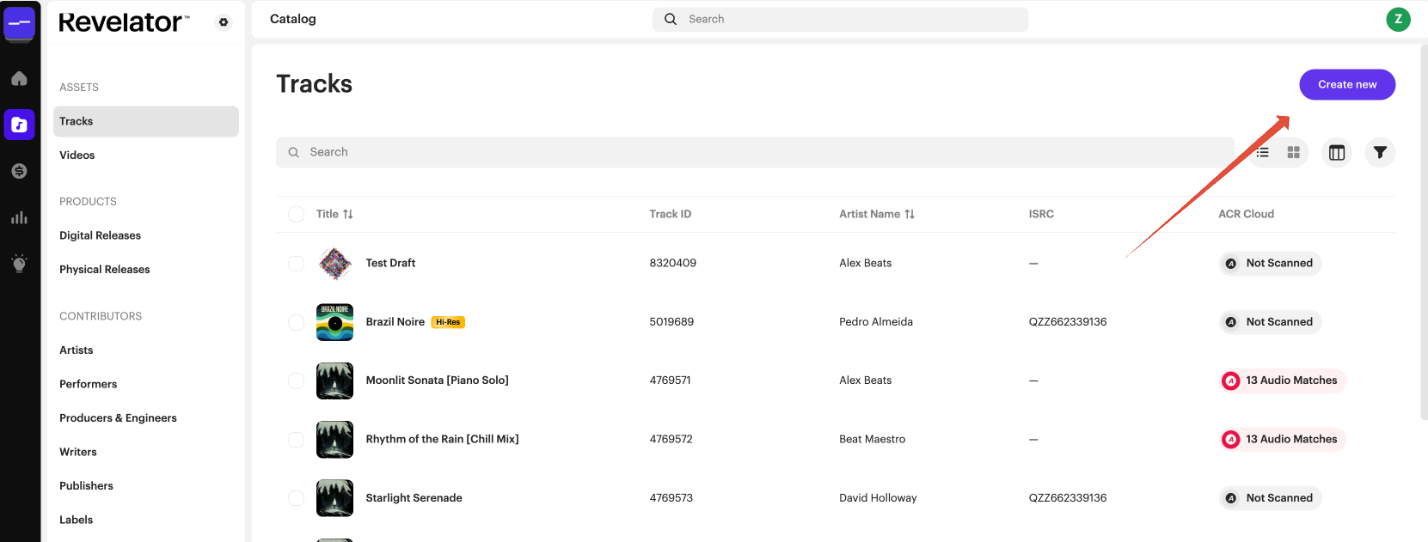
Browse or drag and drop your audio file
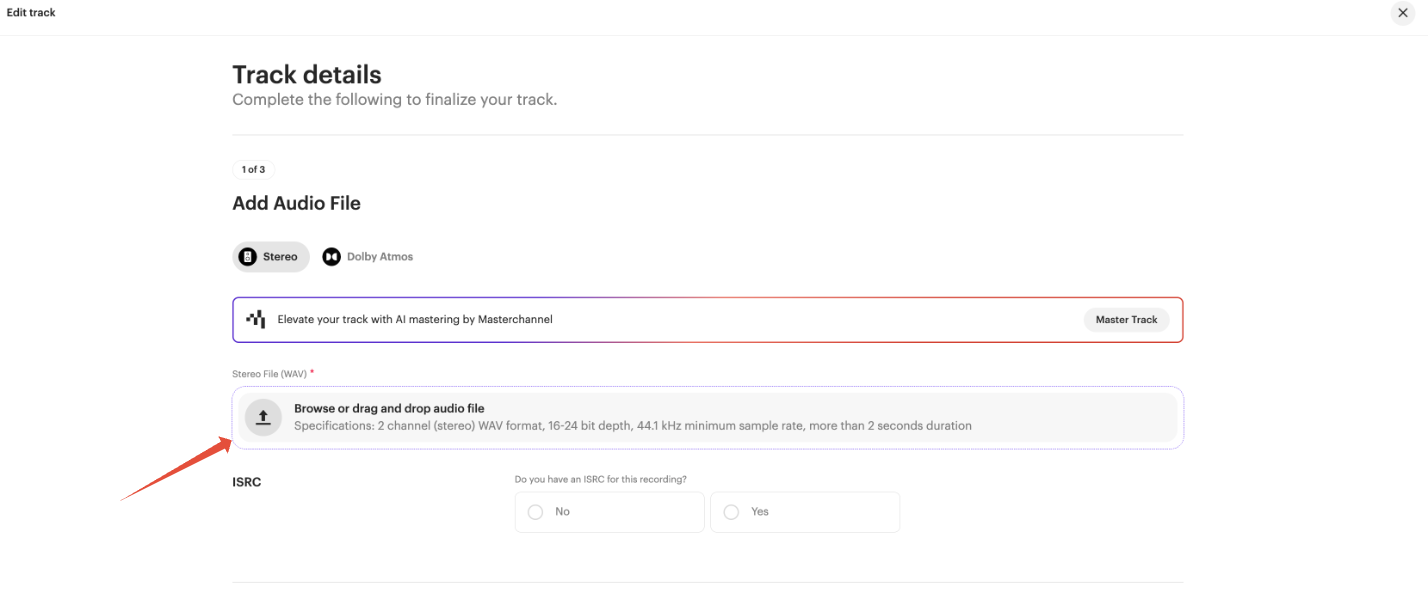 Audio file requirements
| Requirement | Spec |
|---|---|
| Channels | 2 channel (stereo) |
| File type | WAV (or FLAC) |
| Sample rate | 44.1kHz minimum — 44.1, 48, 88.2, 96, and 192kHz all supported |
| Bit depth | 16-bit or 24-bit |
| Duration | More than 2 seconds |
| Tip We support high-resolution audio, including files mastered at up to 24-bit / 192kHz — upload your original HD master rather than downsampling it yourself. |
Dolby Atmos / immersive audio
Delivering a Dolby Atmos mix instead of standard stereo? Requirements are different — see Delivering Dolby Atmos Music: A Complete Guide rather than the specs above.
Related articles
Was this article helpful?
That’s Great!
Thank you for your feedback
Sorry! We couldn't be helpful
Thank you for your feedback
Feedback sent
We appreciate your effort and will try to fix the article