With pre-orders, pre-adds, and instant-gratification tracks, you can drop selected songs early, giving your fans something to get excited about while they wait for the full release.
Here's how it works:
- Release a song or two before the album's out — fans who pre-order on iTunes or pre-add on Apple Music will get instant access to those tracks.
- Generate early momentum — teaser singles can boost streams, drive sales, and get people talking.
- Reward your fans — give them a taste of what's coming and keep them engaged until launch day.
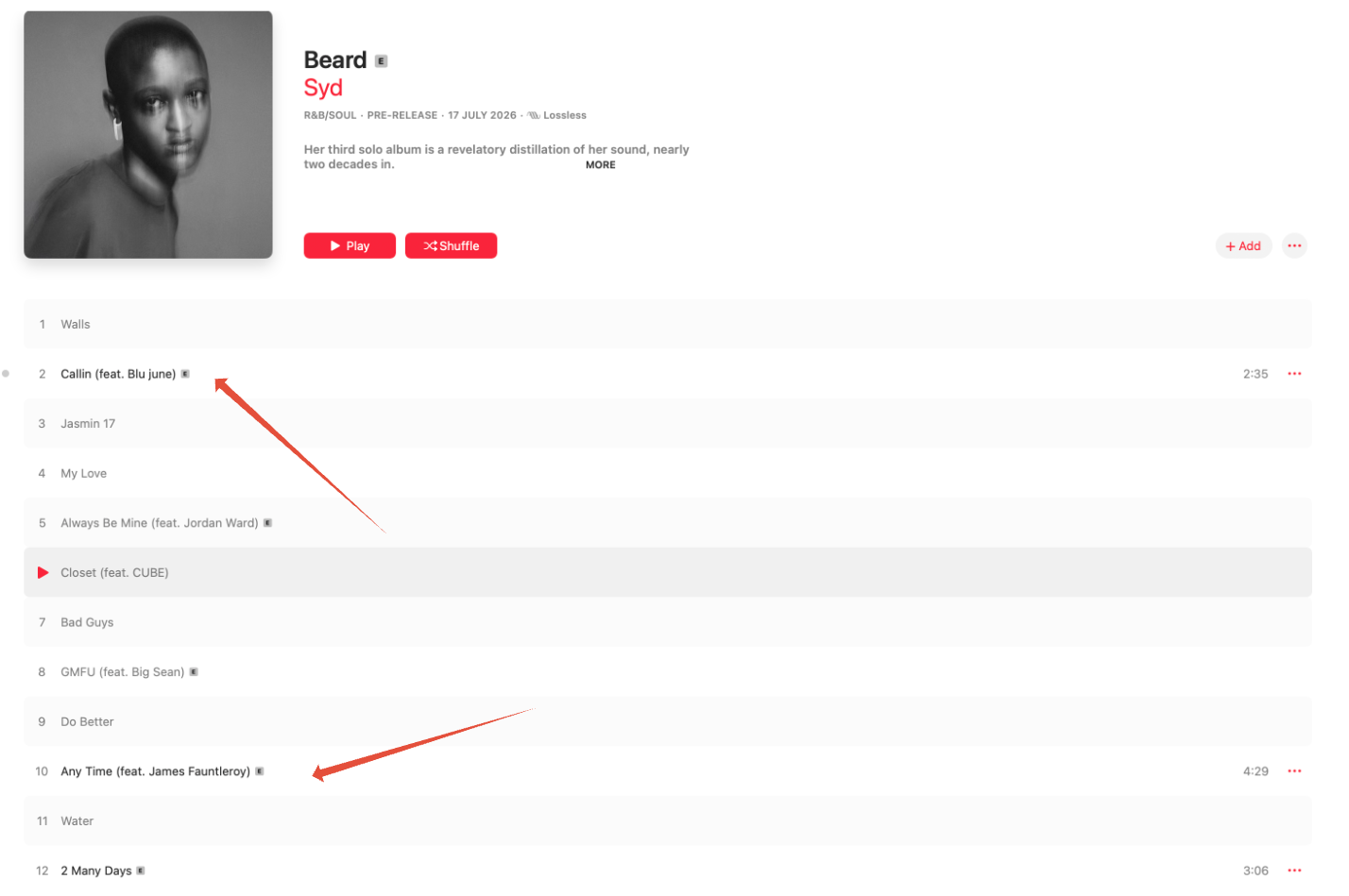
How Apple Music and iTunes handle instant gratification
Apple Music and the iTunes Store handle instant-gratification (IG) tracks differently, since one is a streaming service and the other is a purchase store:
- Apple Music (pre-add): fans get streaming access to whichever IG tracks are already available. Once the full album releases, it's automatically added to their library.
- iTunes Store (pre-order): fans pre-purchase the album, and each IG track downloads to their library automatically — either right away or on the release date you've scheduled for that track.
| Note Always set an explicit release date for each instant-gratification track. This is standard practice regardless of platform — Apple Music, iTunes, or otherwise — and it's crucial for making sure each track goes live exactly when you intend, rather than relying on a platform's default behavior. |
Apple's requirements for instant-gratification tracks
| Rule | What it means |
|---|---|
| Track limit | Up to 50% of the total tracks on the release can be set as instant-gratification tracks. |
| Pricing | The combined price of all IG tracks must be at least one mid-tier track cheaper than the full album price. |
| Track length | Each instant-gratification track must be under 10 minutes long. |
What we need from you
Please provide the following:
1. Album details
- Artist Name
- Album Title
- Album Release Date (this is the official release date on Apple Music and iTunes)
2. Pre-order start date
- Choose a date before the release date
- This is when fans can start pre-ordering your album on iTunes and pre-adding it on Apple Music
| Tip Set the pre-order start date at least 2–3 days before your first insta-grat track becomes available. |
3. Instant-gratification track info
For each insta-grat track, provide:
- Track Title
- Insta-Grat Release Date (the date the track should be available to fans)
- Confirm that this track is part of the album
| Note You can have multiple insta-grat tracks — just list each one separately with the correct dates. |
Example timeline
Let's say the album is being released on March 28.
| Item | Date |
|---|---|
| Pre-order Start Date | March 10 |
| First Insta-Grat Track | March 14 |
| Second Insta-Grat Track | March 21 |
| Full Album Release | March 28 |
Important reminders
- All Insta-Grat tracks must be part of the album.
- Once pre-orders go live, the setup cannot be changed.
- Apple requires Insta-Grat tracks to be cleared for sale in all release territories.
Related articles
Was this article helpful?
That’s Great!
Thank you for your feedback
Sorry! We couldn't be helpful
Thank you for your feedback
Feedback sent
We appreciate your effort and will try to fix the article