DSPs are raising their standards, and we’ve implemented the most effective, affordable solution we could find to meet those demands. It’s designed to help you stay compliant and protect your catalog before issues arise.
ACRCloud is an advanced audio fingerprinting service built into Revelator to help you validate ownership, protect your catalog, and stay compliant with DSP and UGC content policies before your tracks are distributed.
When a track is scanned, ACRCloud compares it to its global fingerprint database to detect a broader range of potential issues, including:
- Exact or partial matches with existing recordings
- Derivative works like remixes, covers, or pitch-shifted versions
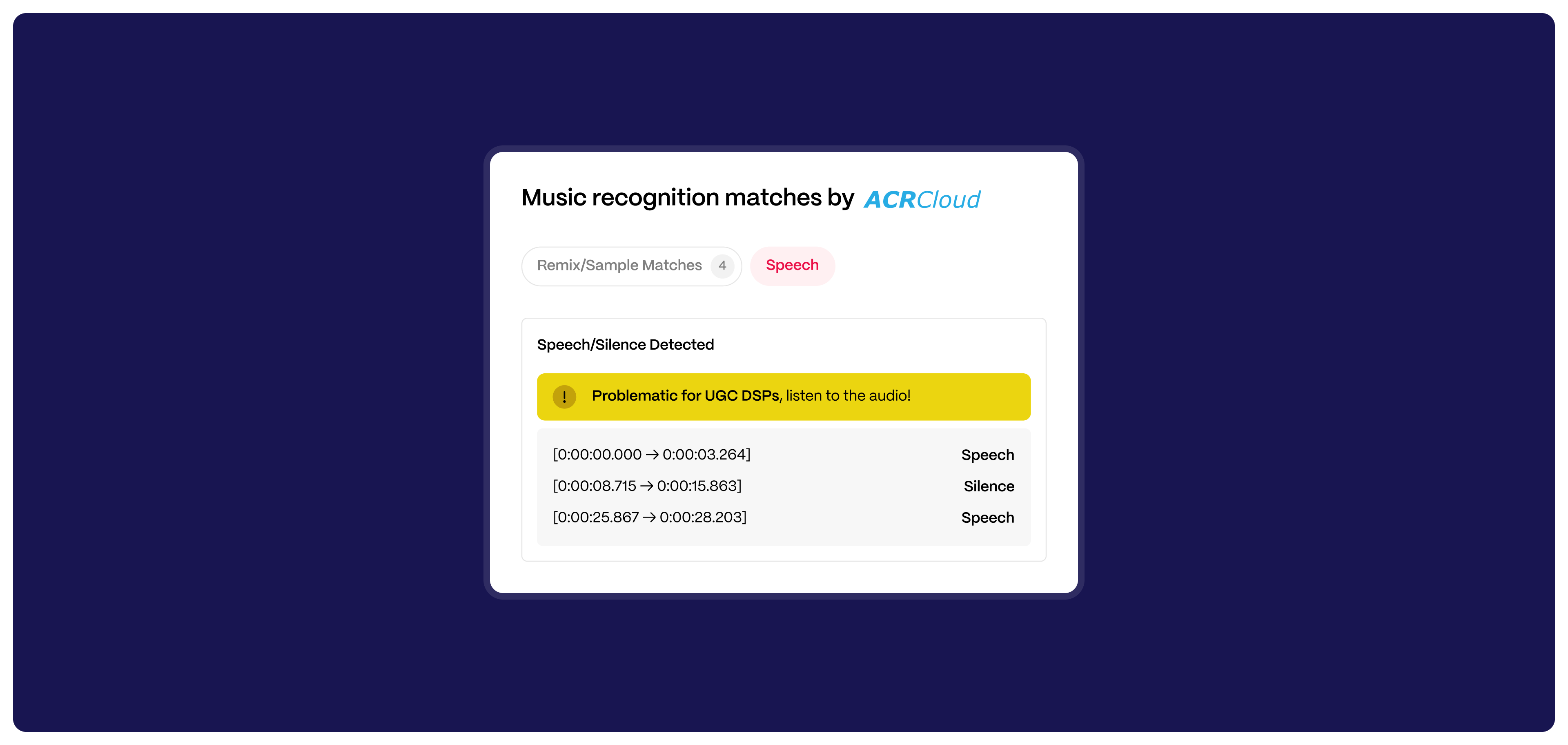
- Non-music segments (e.g. speech, silence, or noise) that may violate UGC platform guidelines
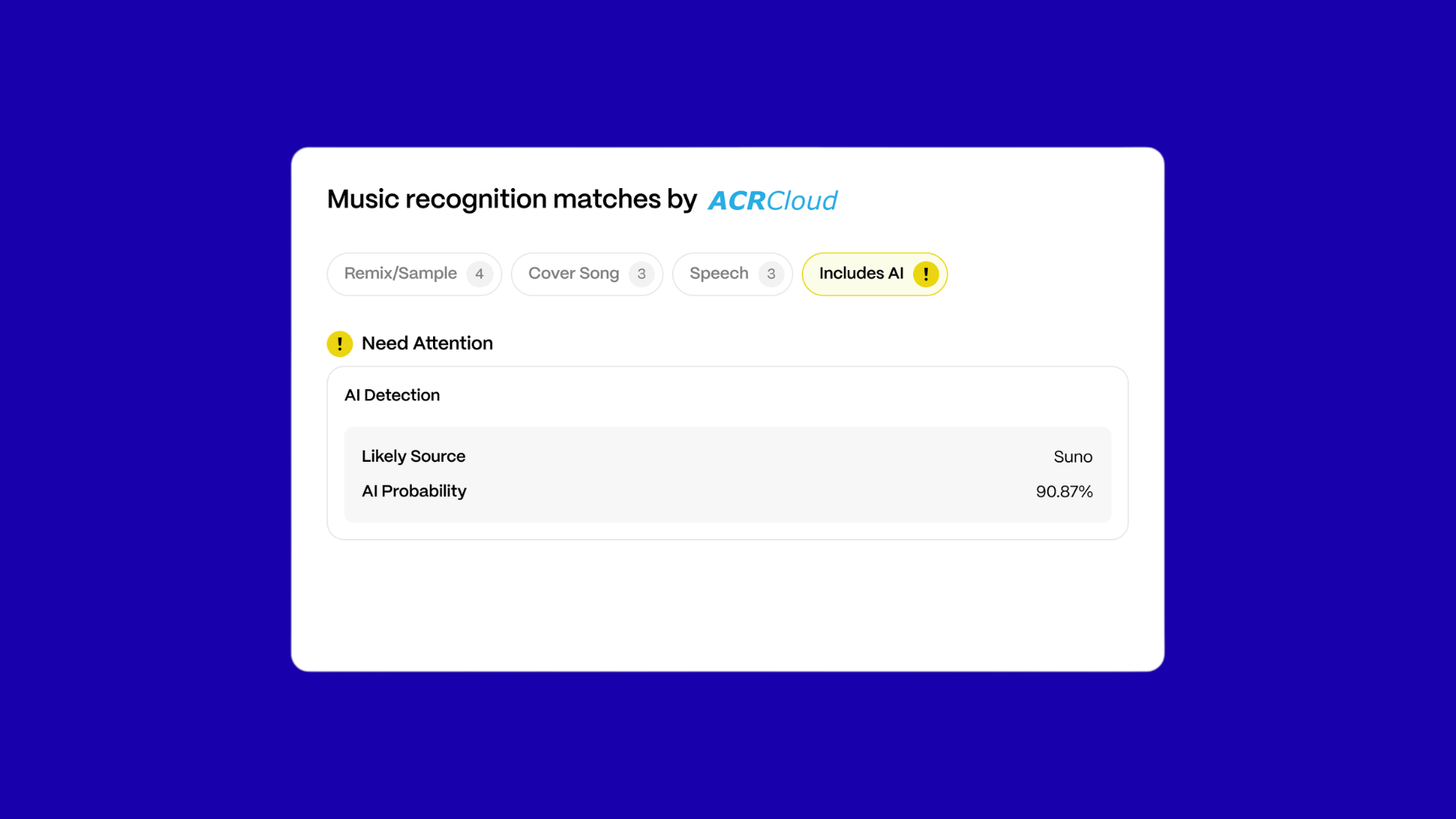
- Tracks that may include AI-generated elements, based on automated detection signals and potential source indicators
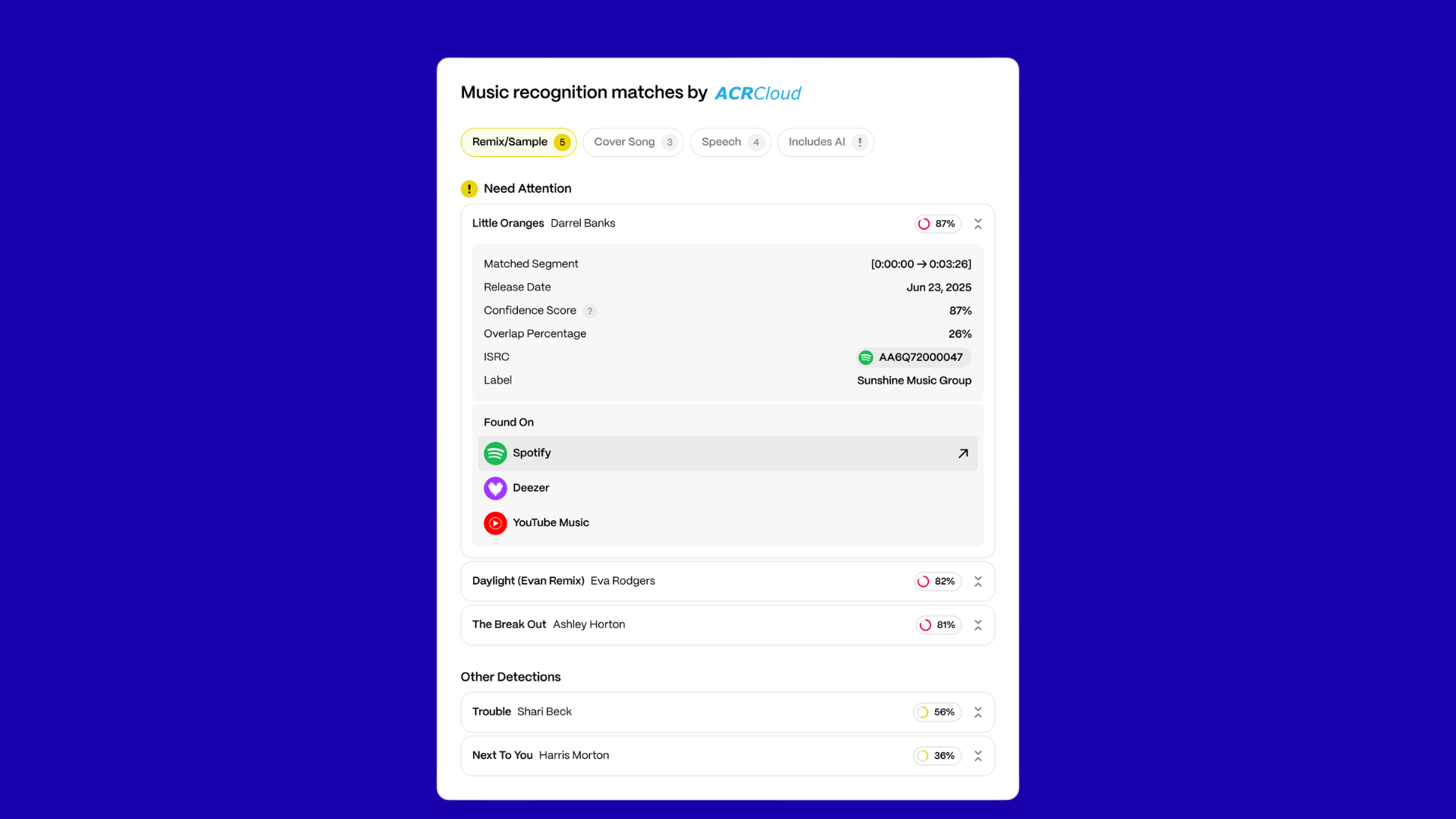
Matched content is flagged on the Inspection page via the ACRCloud icon next to each track row. Detection results are grouped and displayed in dedicated tabs, helping you quickly focus on high-confidence matches and potential issues. This gives you early visibility into possible licensing issues or distribution risks before you go live on DSPs or UGC platforms.
How it works
When you upload a track, ACRCloud scans the entire audio file and analyzes its fingerprint.
If a match is found, you’ll see:
- The matched content’s title and artist
- A confidence score indicating the likelihood of a match
In addition, AI detection results may be shown, including a detection confidence and potential source of generation.
| Note AI detection results are provided as an automated signal to support your review process, not as a definitive determination. |
You can use this information to assess:
- Whether the track is eligible for distribution on DSPs
- Whether the track needs a license (remix, cover, or sample clearance)
- Whether it may violate platform rules on UGC services like YouTube, Facebook, or TikTok
| Note To ensure compliance, consult this article on unauthorized content for UGC DSPs: Unauthorized Content for UGC DSPs (YouTube CID, Facebook RM, TikTok) |
What to do if a match is found
If ACRCloud flags a track:
- Verify rights: Confirm the artist holds the rights to distribute the content.
- Check for licenses: If it’s a remix or cover, ensure the correct licenses are in place.
- Review UGC rules: Make sure the track qualifies for UGC platforms.
- Review AI detection results: If a track is flagged as potentially AI-generated, verify ownership, rights, and eligibility for DSP and UGC distribution.
- Fail or park the release if rights cannot be confirmed.
- False positive? You can still approve it if you’ve verified ownership.
Understanding the confidence score
Each match includes a confidence score (0–100%) indicating how closely the audio matches existing material.
- A high score suggests a strong match. Review rights and licensing.
- A low score may still require attention, especially for samples, covers, or reused melodies.
Even a low score is worth reviewing — especially if you see multiple matches with lower scores, it can mean that the track is using 3rd party beats, loops, etc, which:
- Definitely make the track ineligible for UGC DSPs
- Most likely means that artist needs to have purchased a license to use the 3rd party material to distribute it to non-UGC DSPs
Enhanced detection means even lower-confidence matches can indicate meaningful reuse of audio elements and should be reviewed carefully.
| Tip How can you tell if a low confidence score is nevertheless pointing to an issue? Listen to the audio using the built-in player. |
What does “No Result” mean?
“No result” means that ACRCloud didn’t find a match in its reference database. This could mean:
- The track is newly released or unpublished
- The matched content hasn’t been fingerprinted by ACRCloud yet
Even with no match, continue with your regular inspection process.
Availability and usage
If you’re using Revelator distribution deals, upgraded ACRCloud scanning is included automatically.
Releases under Revelator Deals may also go through an additional Trust & Safety review if flagged during inspection.
If you’re using your own distribution deals, you can opt in to use the service.
Frequently asked questions
Q: Does ACRCloud block my content?
No. It flags potential issues, but you decide whether to approve, fail, or investigate further.
Q: Is ACRCloud required?
Yes, if you are using Revelator deals. It’s optional if you’re using your own distribution deals, but strongly recommended to avoid takedowns and improve inspection accuracy.
Q: What’s the difference between Match Score and Overlap Score in ACRCloud?
Match Score measures how similar the audio fingerprint of your track is to an existing recording in the ACRCloud database.
Overlap Score indicates how much of your track’s duration overlaps with that existing recording.
In simple terms:
- Match Score = how closely the sounds match
- Overlap Score = how much of the track matches
For example:
- A high Match Score (80% or more) suggests strong similarity and should be reviewed carefully.
- A low Overlap Score may indicate that only a short portion of the track matches (e.g. a sample or short reused section).
Q: If the Match Score is above 50 but the Overlap Score is below 50, can I proceed with the song for Content ID (CID)?
A Match Score below 80% is generally safe to proceed for Content ID, but always listen to the track before deciding.
If the Match Score is above 80%, review the audio carefully — it likely includes copyrighted or derivative material that could trigger rights issues on YouTube or other UGC platforms.
When in doubt, listen and verify rights before approval.
Related articles
Was this article helpful?
That’s Great!
Thank you for your feedback
Sorry! We couldn't be helpful
Thank you for your feedback
Feedback sent
We appreciate your effort and will try to fix the article