Physical Release Catalog Management allows you to create and manage physical formats — such as vinyl, CDs, cassettes, and DVDs — directly within your catalog.
This gives you a structured way to manage physical editions alongside your digital releases, all in one place.
Feature access and permissions
Physical Releases are controlled at the workspace (parent enterprise) level.
- Only workspace admins can enable this feature.
- Once enabled, it becomes available across the catalog and to your users.
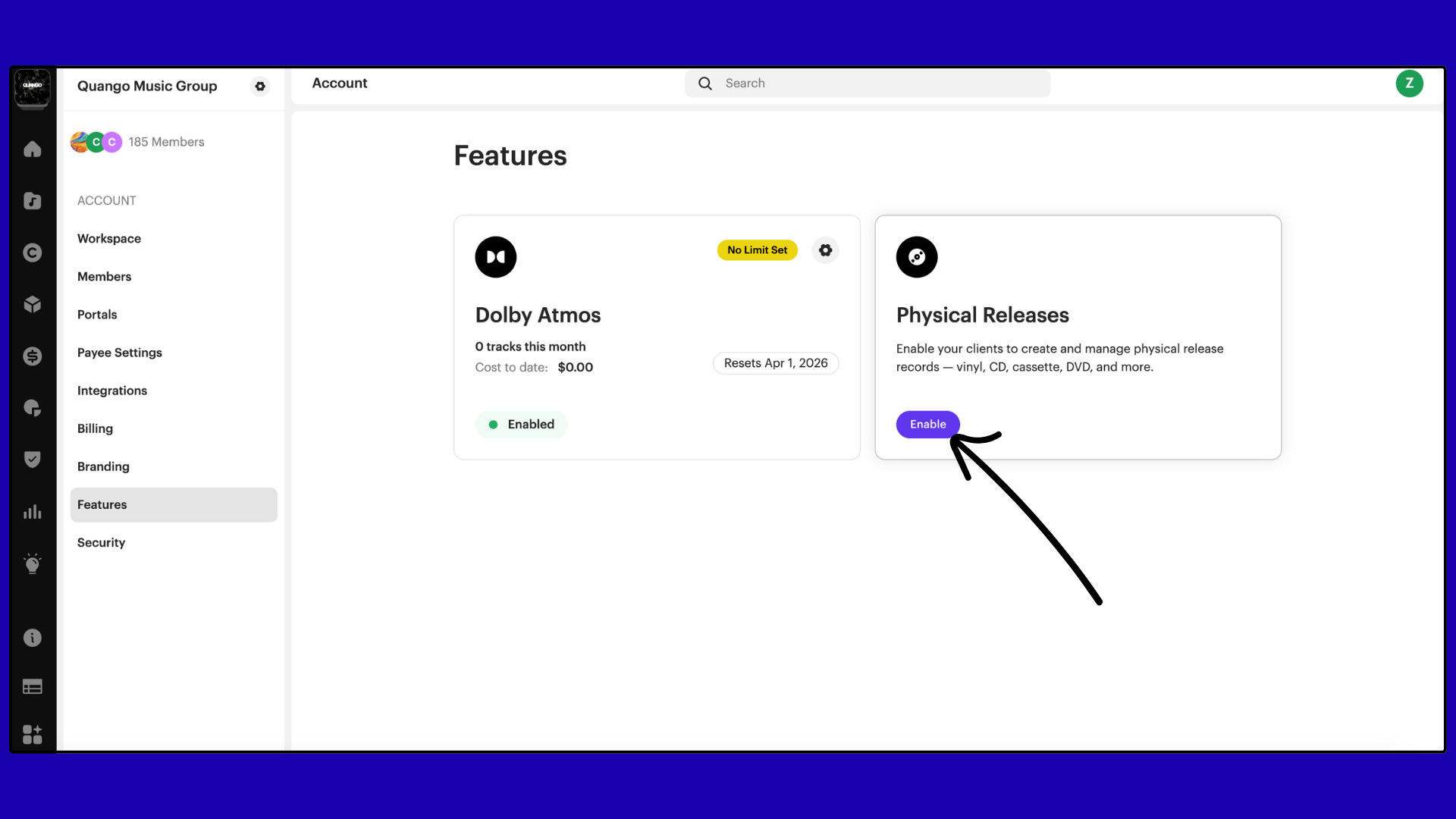
Enable physical releases
To enable the feature:
- Go to Settings.
- Navigate to Features.
- Find Physical Releases.
- Click Enable.
Access physical releases
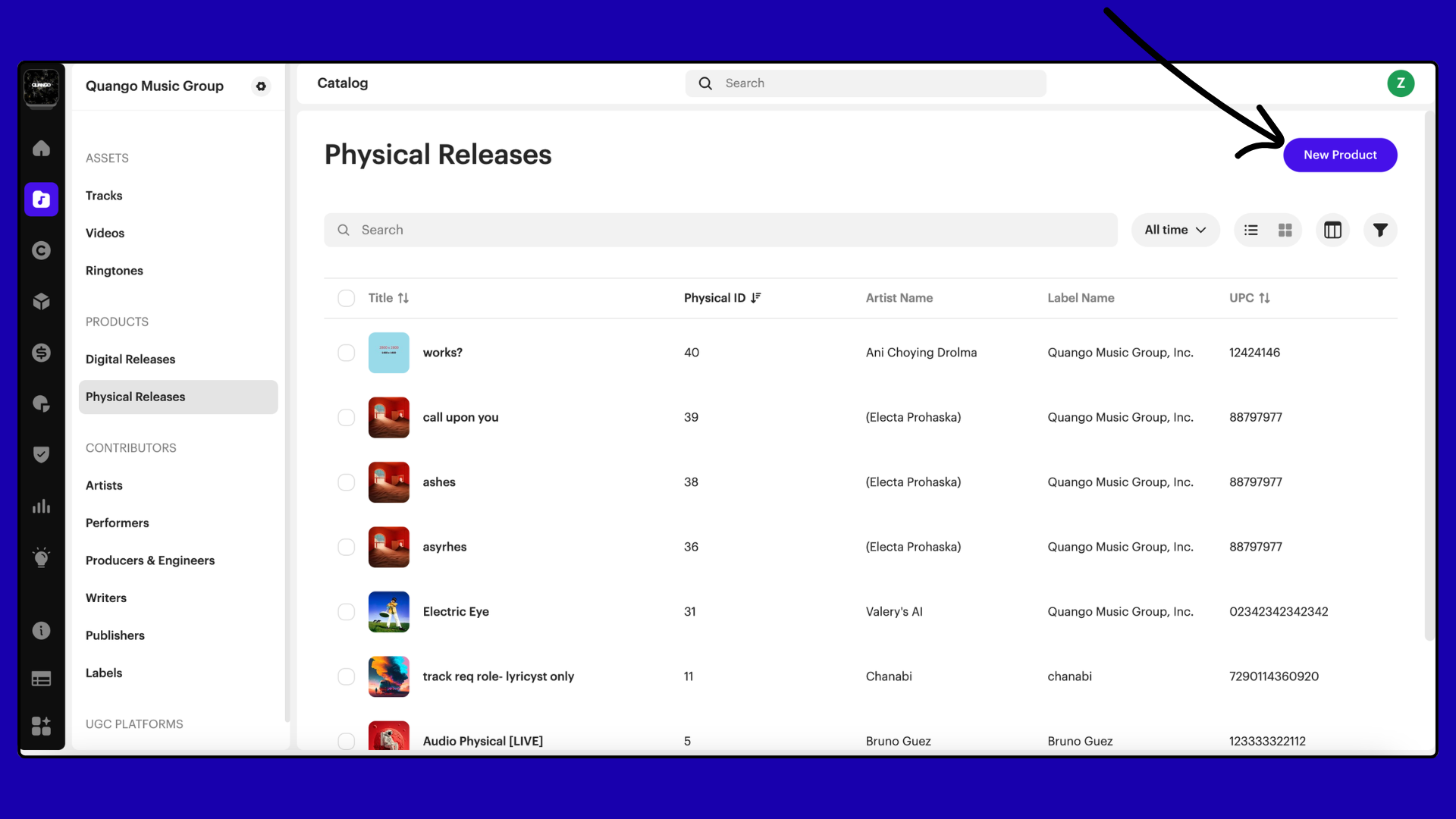
Once enabled:
- Go to Catalog.
- Under Products, select Physical Releases.
- Click New Product.
Create a physical release
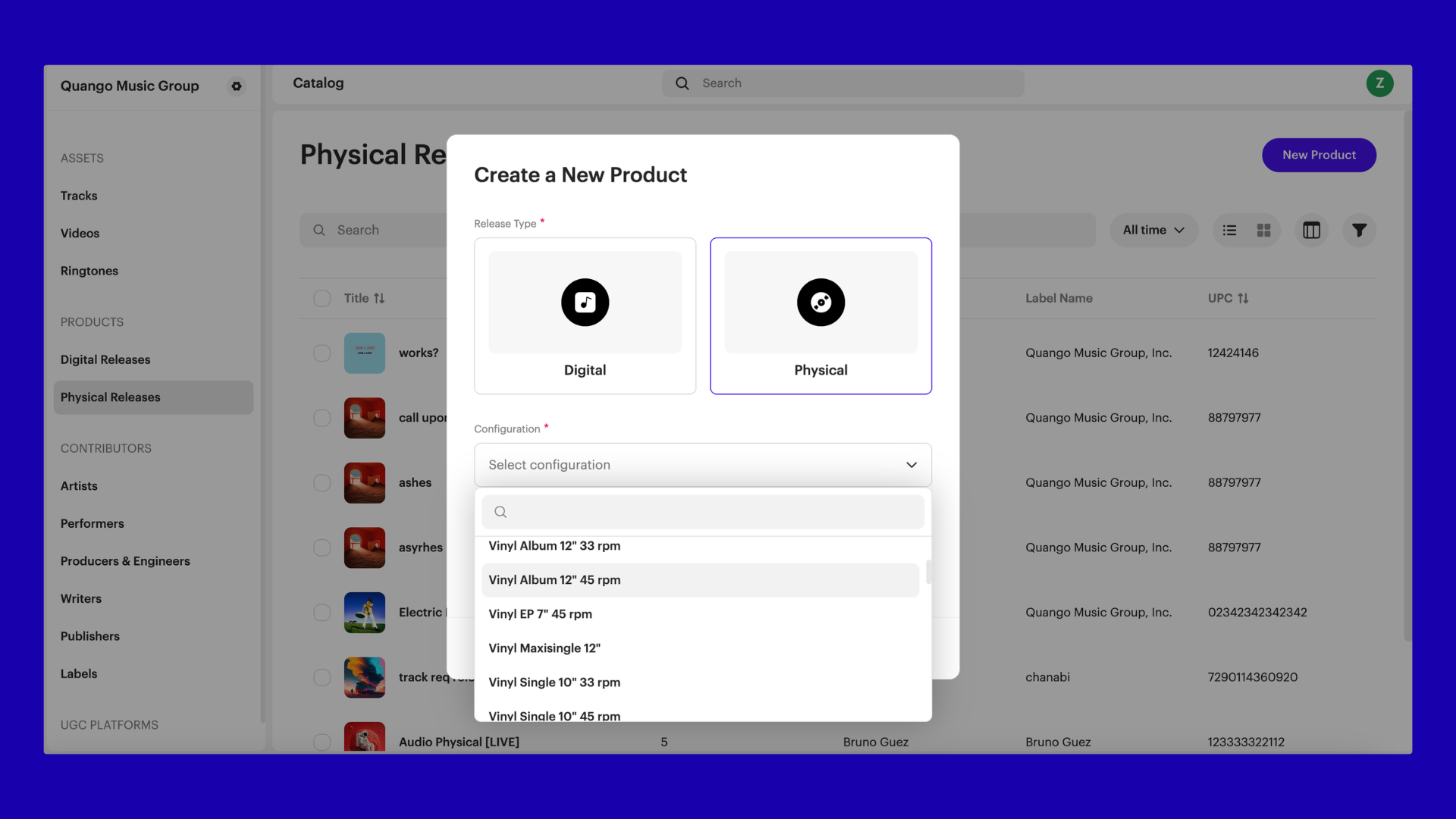
To create a new physical release:
- Click New Product.
- Select Physical.
- Choose a configuration (format).
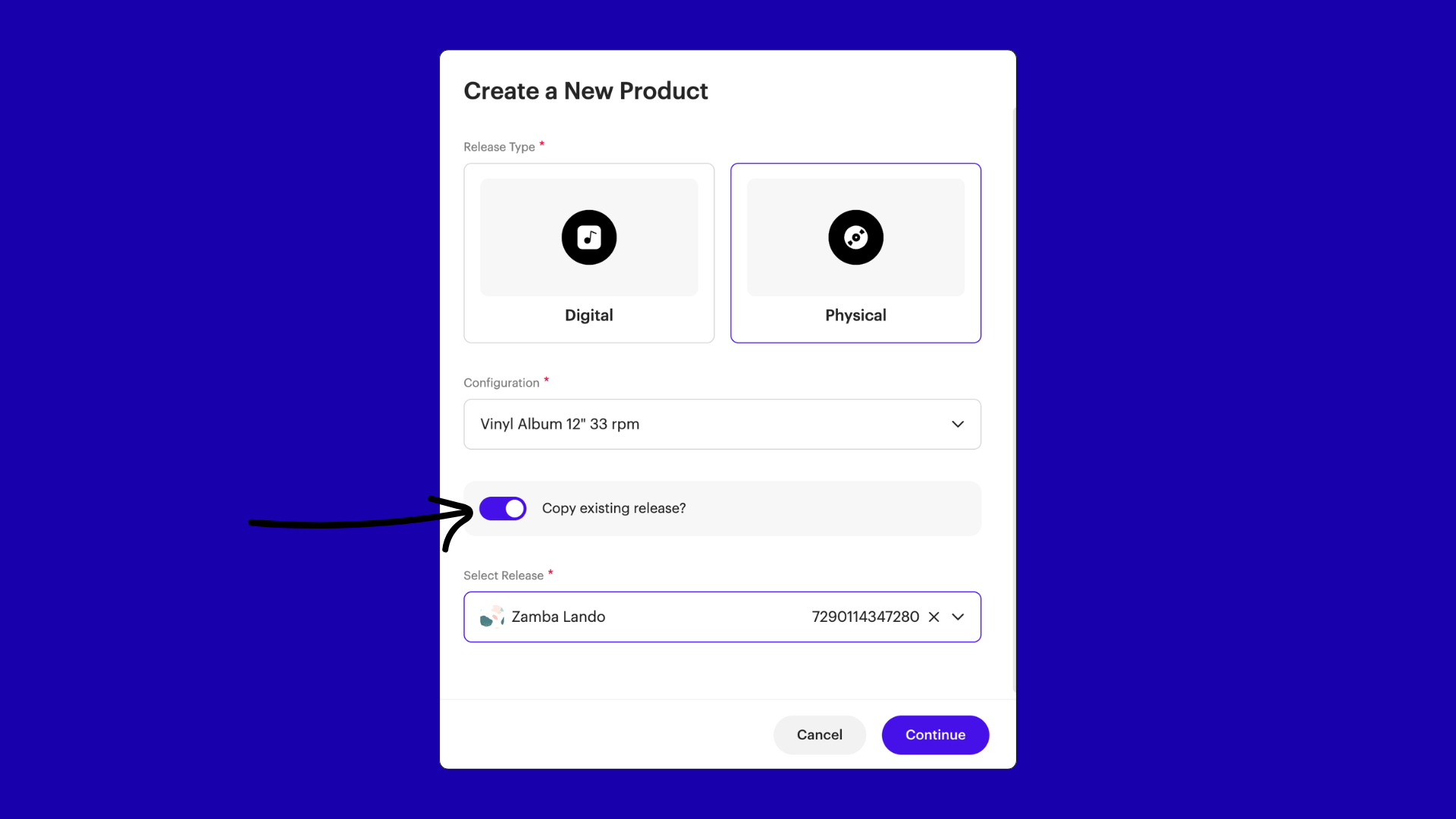
- (Optional) Enable Copy existing release.
- Select a digital release (if copying).
- Click Continue.
Copying from a digital release
When Copy existing release is enabled:
- You must select a digital release.
- Metadata and tracks are pre-filled.
- You can adjust physical-specific details.
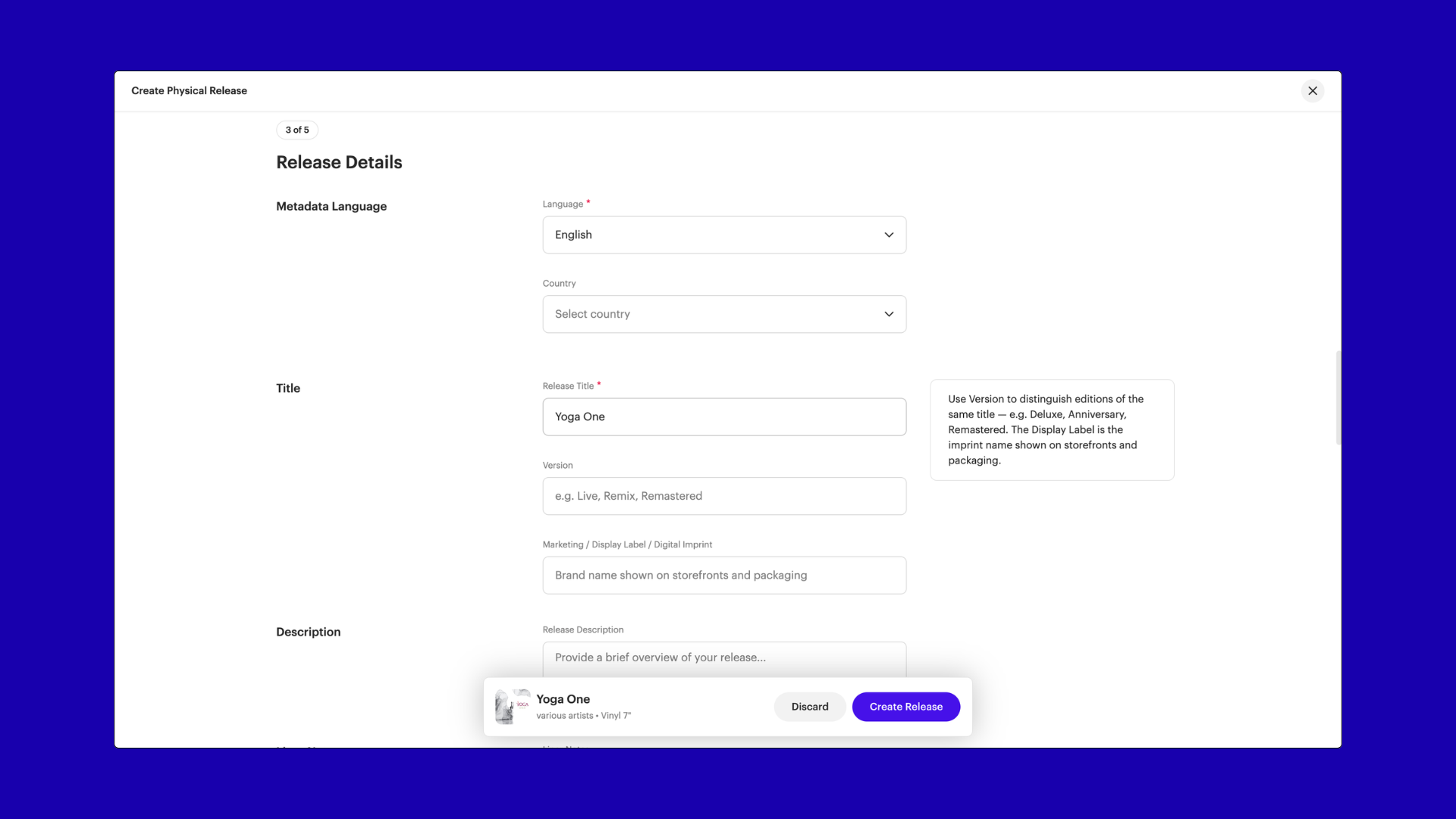
Managing metadata
Physical releases include format-specific metadata fields depending on the configuration. Examples include:
- Configuration (e.g. Vinyl Album 12" 33 rpm)
- Language and country
- Liner notes
- Packaging type (e.g. box set)
- Promotional flags
- Audio format
- Video metadata (for DVD/Blu-ray)
Viewing a physical release
Each physical release includes:
- Overview
- Extended metadata
Physical releases do not include:
- Distribution settings
- Streaming data
- Revenue data
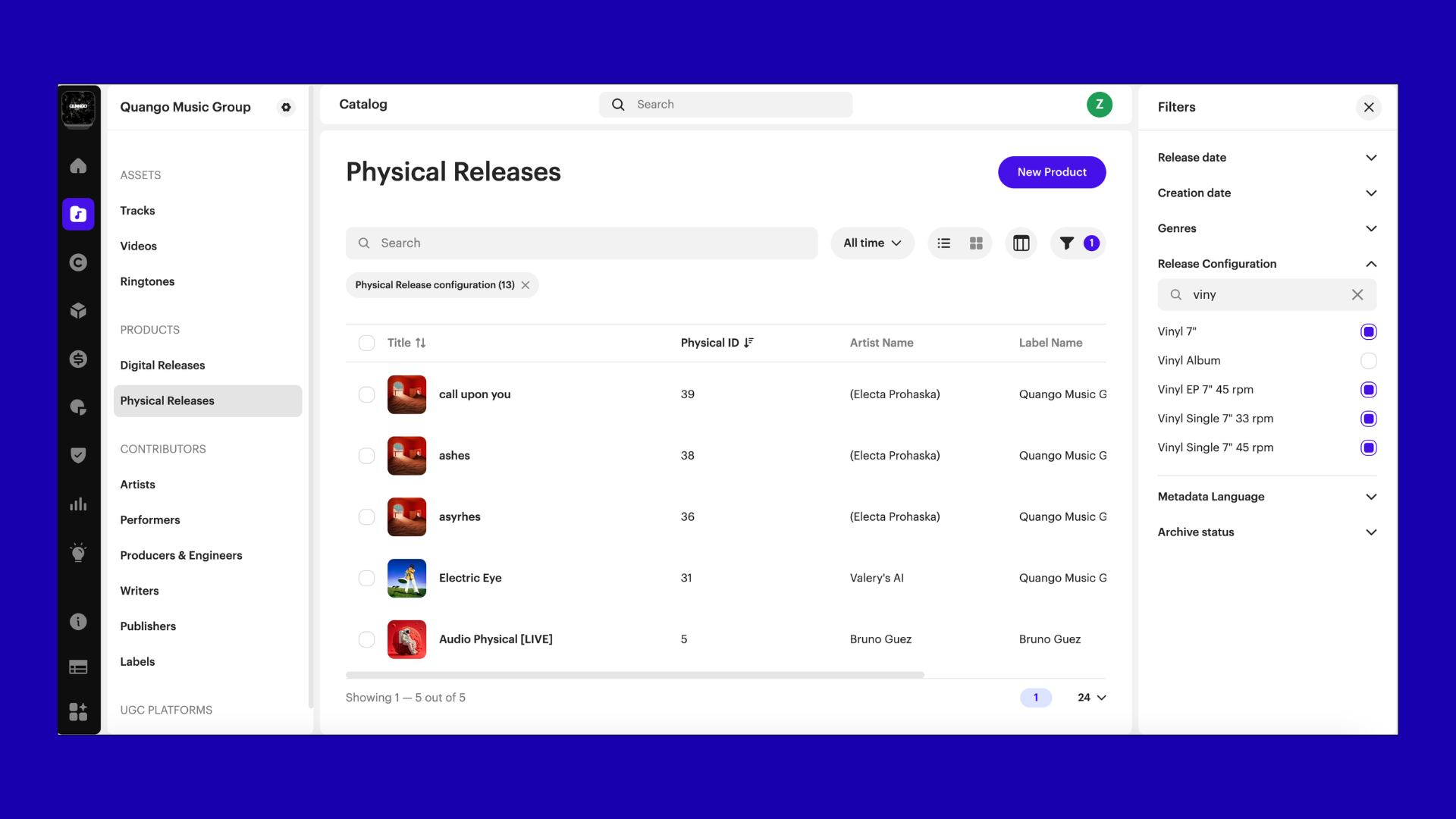
Managing your catalog
Within the Physical Releases section, you can:
- Browse all physical releases
- Filter by format
- Search by title, artist, or UPC
- Manage metadata
FAQs
Can I distribute physical releases through Revelator?
No. Physical distribution is not supported in this version.
Can I track sales or revenue for physical releases?
No, not yet. Sales tracking and revenue reporting are not included in this first version.
Does Revelator manufacture or produce physical products?
No. Revelator does not provide manufacturing or production services.
What can I use Physical Releases for?
Physical Releases are designed for catalog and metadata management, helping you organize physical formats alongside your digital releases.
Can I import my existing physical catalog in bulk?
No. Bulk import is not available in this version.
You can create physical releases manually or copy from existing digital releases to save time.
Can I edit tracks inside a physical release?
No. Tracks are inherited from the digital release and cannot be edited.
Why is UPC required?
UPC is required to uniquely identify the physical product and support future workflows such as royalties and reporting.
Can I link physical and digital releases?
Yes. You can link physical releases to digital releases during creation to maintain a unified catalog view.
Will physical royalties and analytics be supported?
Yes. Support for physical royalties and analytics is planned for future updates.
Was this article helpful?
That’s Great!
Thank you for your feedback
Sorry! We couldn't be helpful
Thank you for your feedback
Feedback sent
We appreciate your effort and will try to fix the article